developerlanes (the lane command) gives each agent
a task and its own Git worktree. Answer its questions when it gets stuck, then read
its report before deciding what to merge.
The local workflow works today in Herdr. You can also read task status from remote
machines. We're working toward coordinating agents across machines, with an inbox
in your browser, on your phone or in Teams.
An agent spots a file-format change that could break existing files.
Instead of guessing, it asks you to pick between two options.
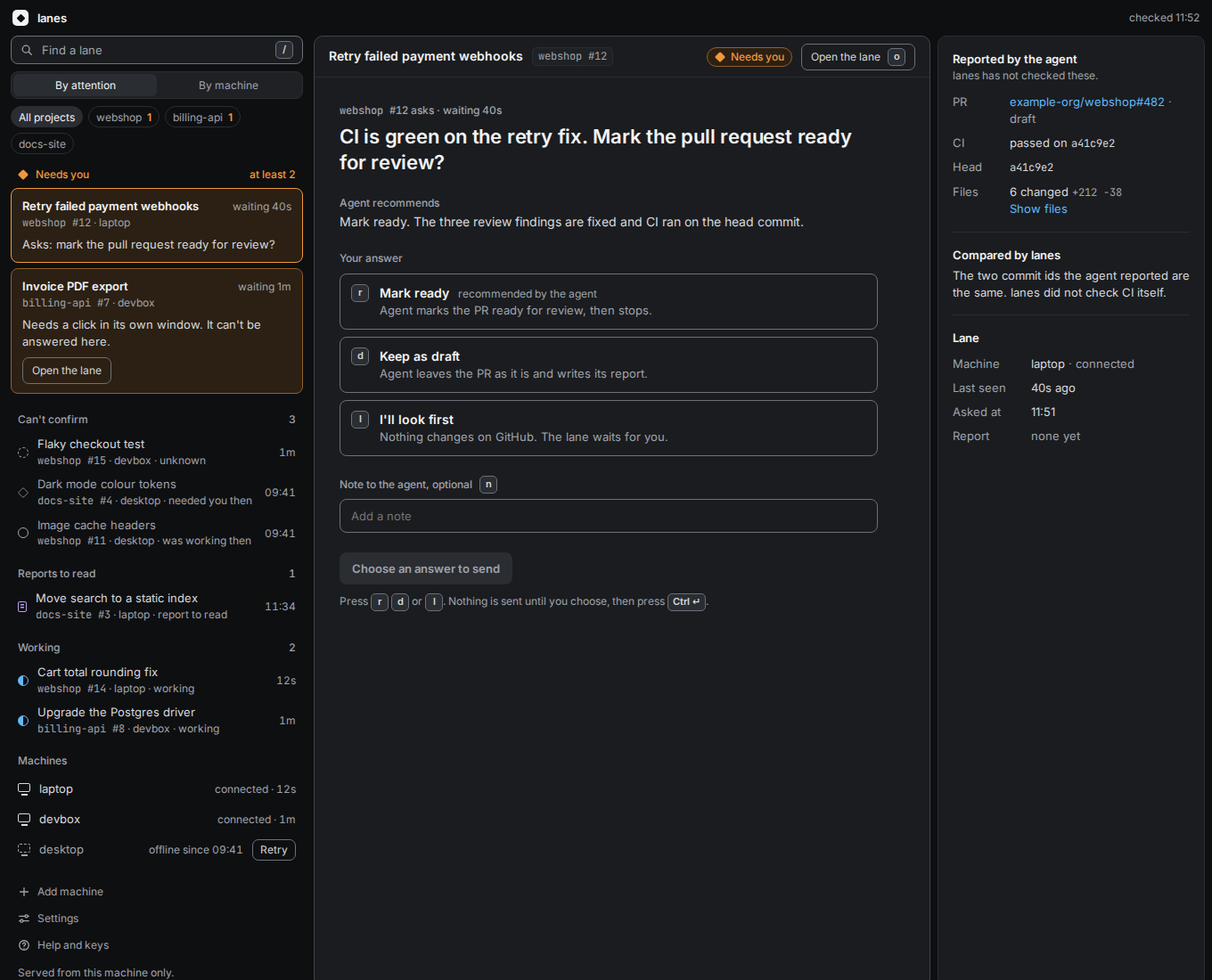
This is how we want that decision to look in a browser.
Today, you can answer question cards in the terminal.
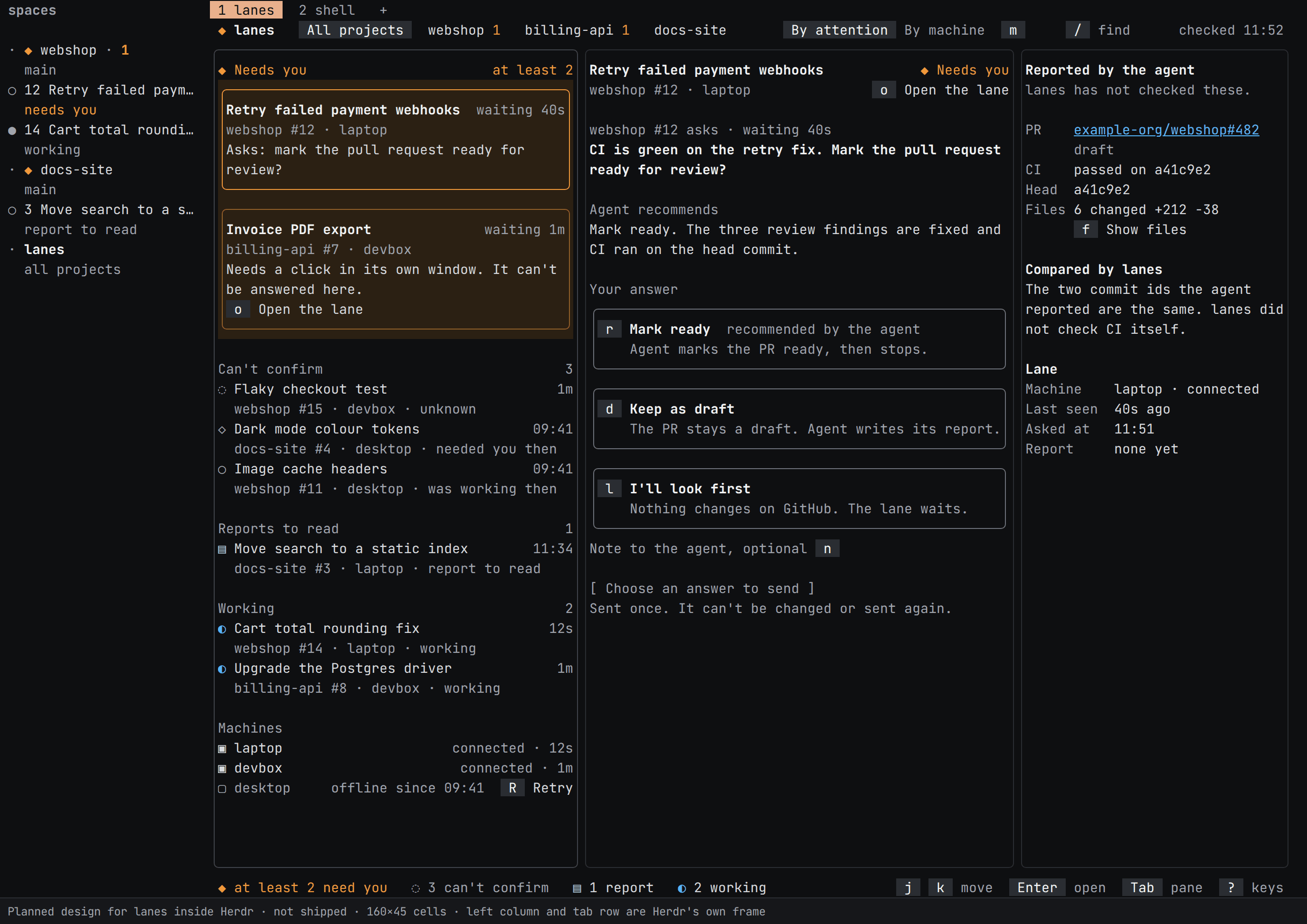
Planned: in your terminal
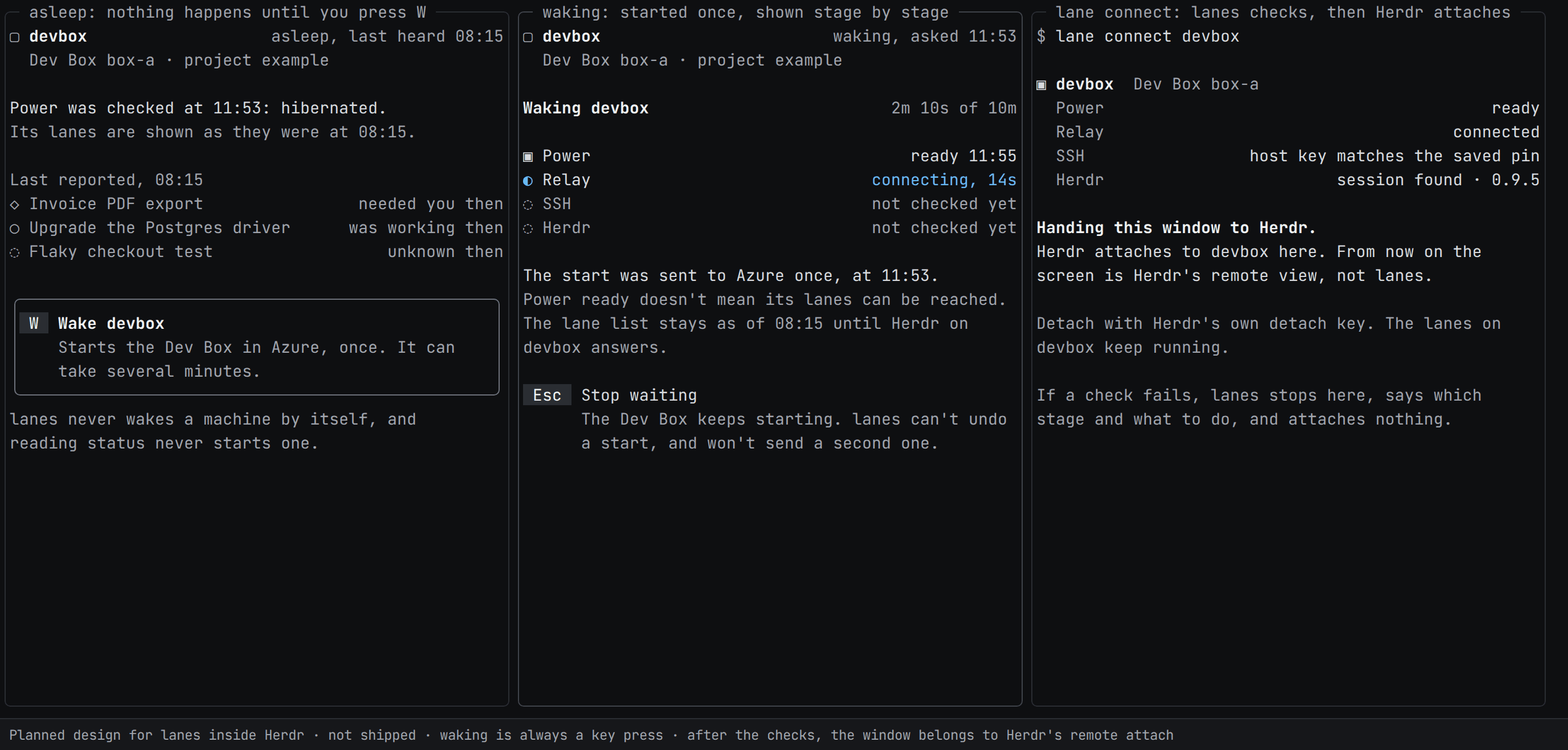
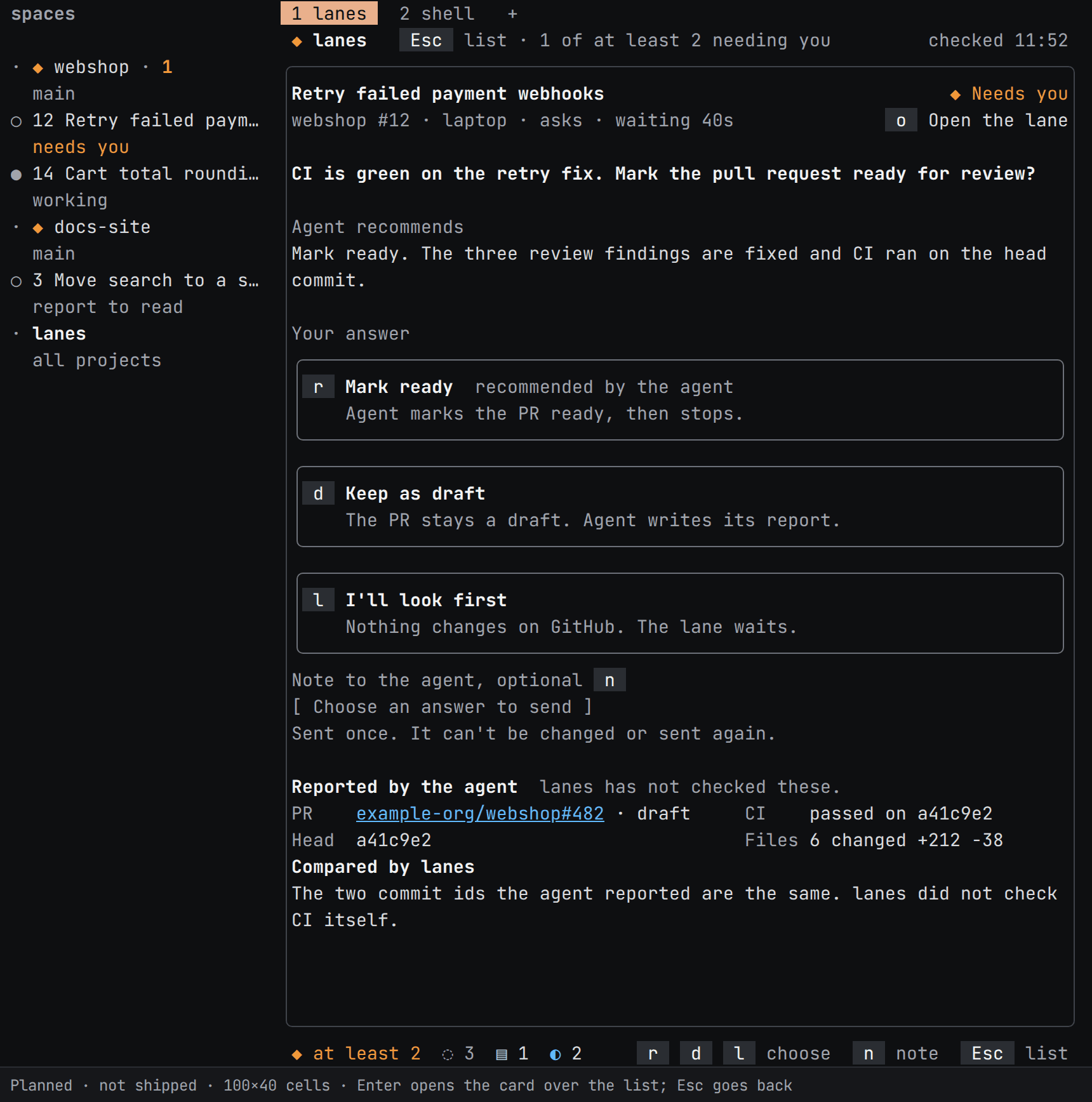
developerlanes lives in the terminal first. This is the planned terminal design
inside Herdr, not shipped, using invented tasks and machines.
List and detail. The queue stays in view while you consider an answer.Another machine. Waking it takes a key press, not a status check.A narrow terminal. Open one card, then return to the list with Esc.
These are mockups, not terminal captures. Open any image to read it at full size.
Inbox mockups
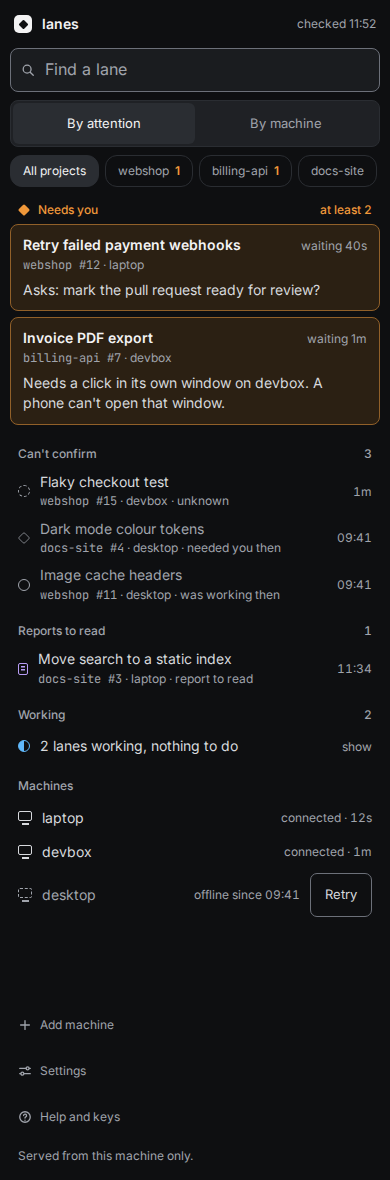
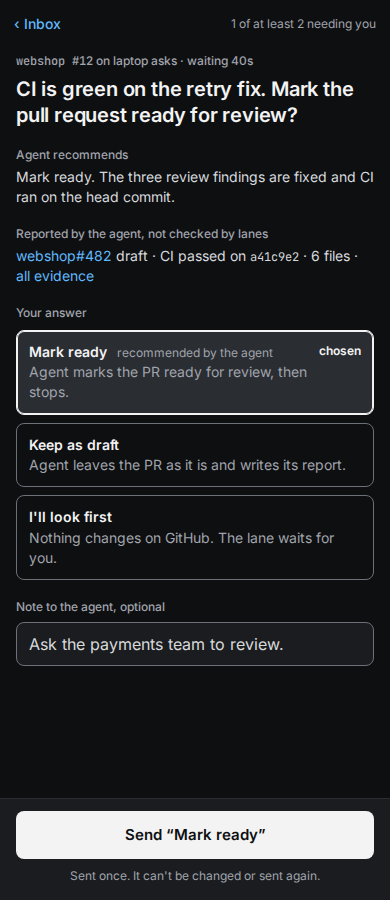
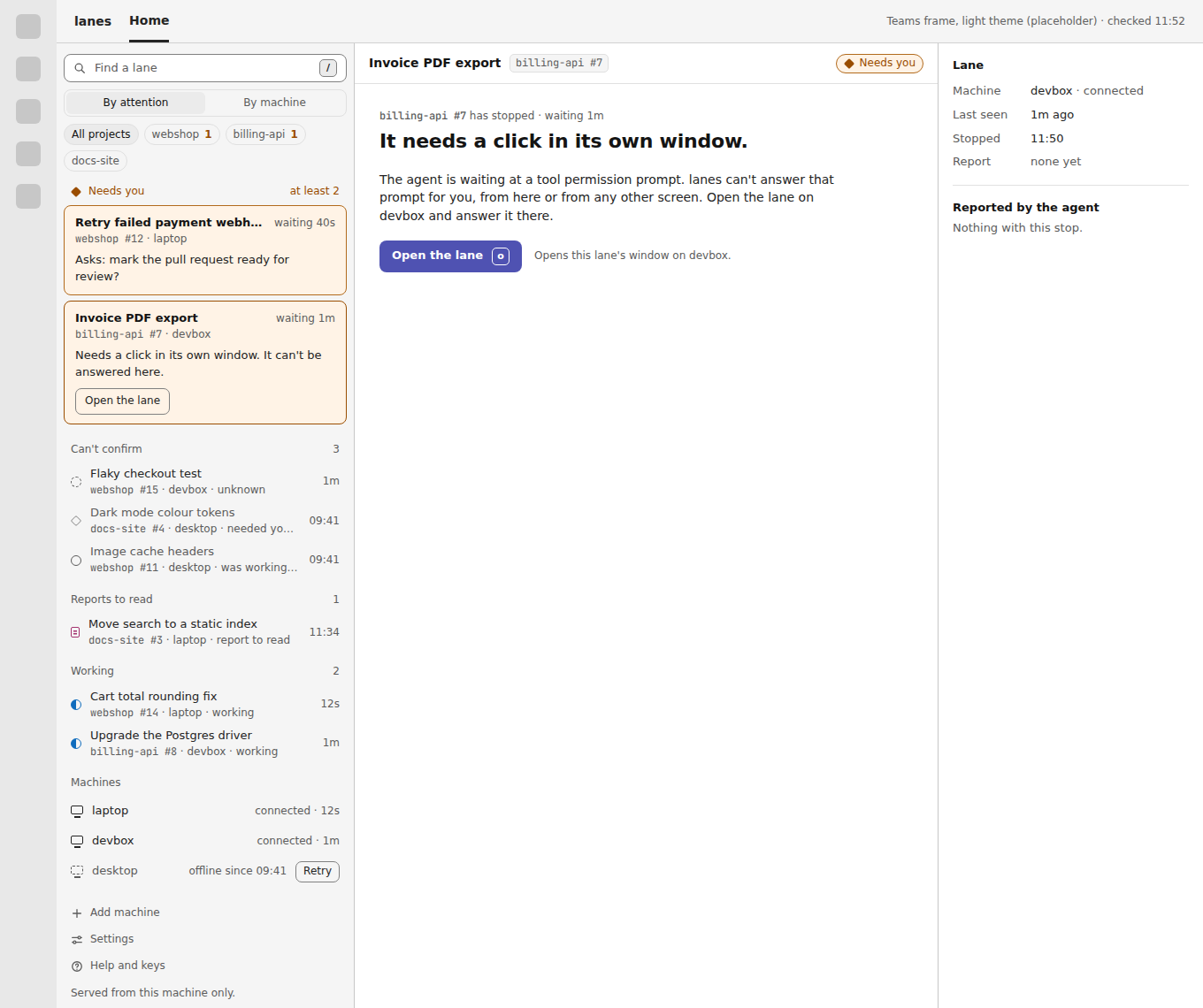
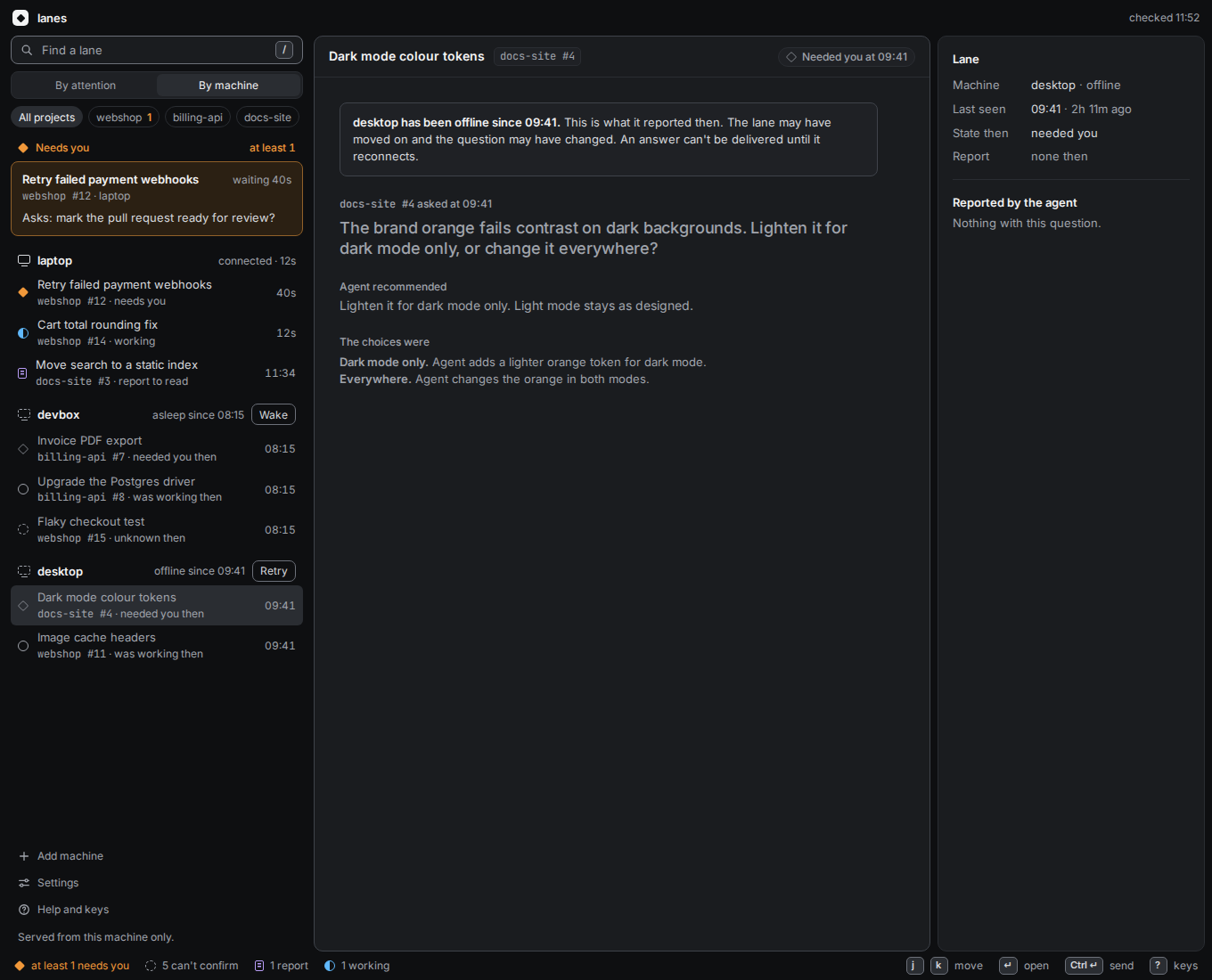
These browser, phone and Teams inboxes are design drafts, not shipped
screens, using invented data.
Desktop inbox. Questions that need an answer go at the top.Phone inbox. Unknown and offline work stays visible.Answer from a phone. Choose, then deliberately send once.Inside Teams. Tool permissions still need the agent's own window.Offline. You can still see the machine's last question.
How it works
Prepare a lane.A separate checkout, an agent session and a place for its report.
Let it work.The agent leaves a report or asks a specific question.
Review the evidence.A report is the agent's account, not proof that its changes or tests are correct.
Copilot and Pi work locally without Azure. Current setup requirements still
apply; broader platform support needs validation.
Read-only remote status uses Azure Relay. For an already paired worker,
lane connect opens its Herdr session over owner SSH. Explicit Dev Box
wake works for saved Azure Dev Box bindings: reading status never powers up a box.
Git worktrees separate edits, not machine permissions.
Owner SSH grants the account's access; it isn't a restricted task-status connection.
A few rules
Check an uncertain launch
If delivery is uncertain, inspect and reconcile. Don't automatically submit the same task again.
Show stale status
Missing or old observations stay visibly uncertain, not an empty queue with nothing to do.
Keep answers tied to questions
An answer belongs to its original question, not whichever prompt happens to be visible later.
Separate reading from access
Read-only status and owner SSH are different capabilities. Neither observation nor reconnect should silently start work or wake a machine.
Where it stands
This is an early project, not a generally available release. The source
repository is private today.
Working today
Local lanes with separate worktrees and start-once task launch.
Needs-you question cards and lane answer.
The two-task onboarding demo.
Read-only remote task status over Azure Relay.
lane connect to already paired workers over owner SSH.
A shared Relay connection core.
An offline machine catalog and azcommandr import.
Explicit Azure Dev Box wake.
Planned / exploring
The terminal list-and-detail view shown above.
Worker pairing and a fleet view across machines.
A decision inbox in the browser, on your phone and in Teams.
Possible cluster workers later.
The machine-access work comes from David Gamero's azcommandr.
developerlanes brings that direction together with task coordination and decisions.
What would you change?
Which questions would you answer from your phone? When would you want the full agent session?
What would you need in a report to start reviewing the work?
If a machine goes offline, when would you want a heads-up?